






Your Law Firm's
A law firm's website isn't just an online business card—it's your firm’s digital storefront, content hub, and lead generator. For many of your future clients, it’s also their first impression of your law firm. But without the right infrastructure and ongoing management, that storefront might as well have a "Closed" sign hanging in the window.
How do different website elements affect your search rankings?
How Your Website's Design and Content Affect SEO


LAWYER KEYWORD RESEARCH
Onsite Technical SEO: The Backbone of Visibility
Let's dive into how each element of your website impacts your search rankings and your ability to attract new clients.
Onsite technical SEO
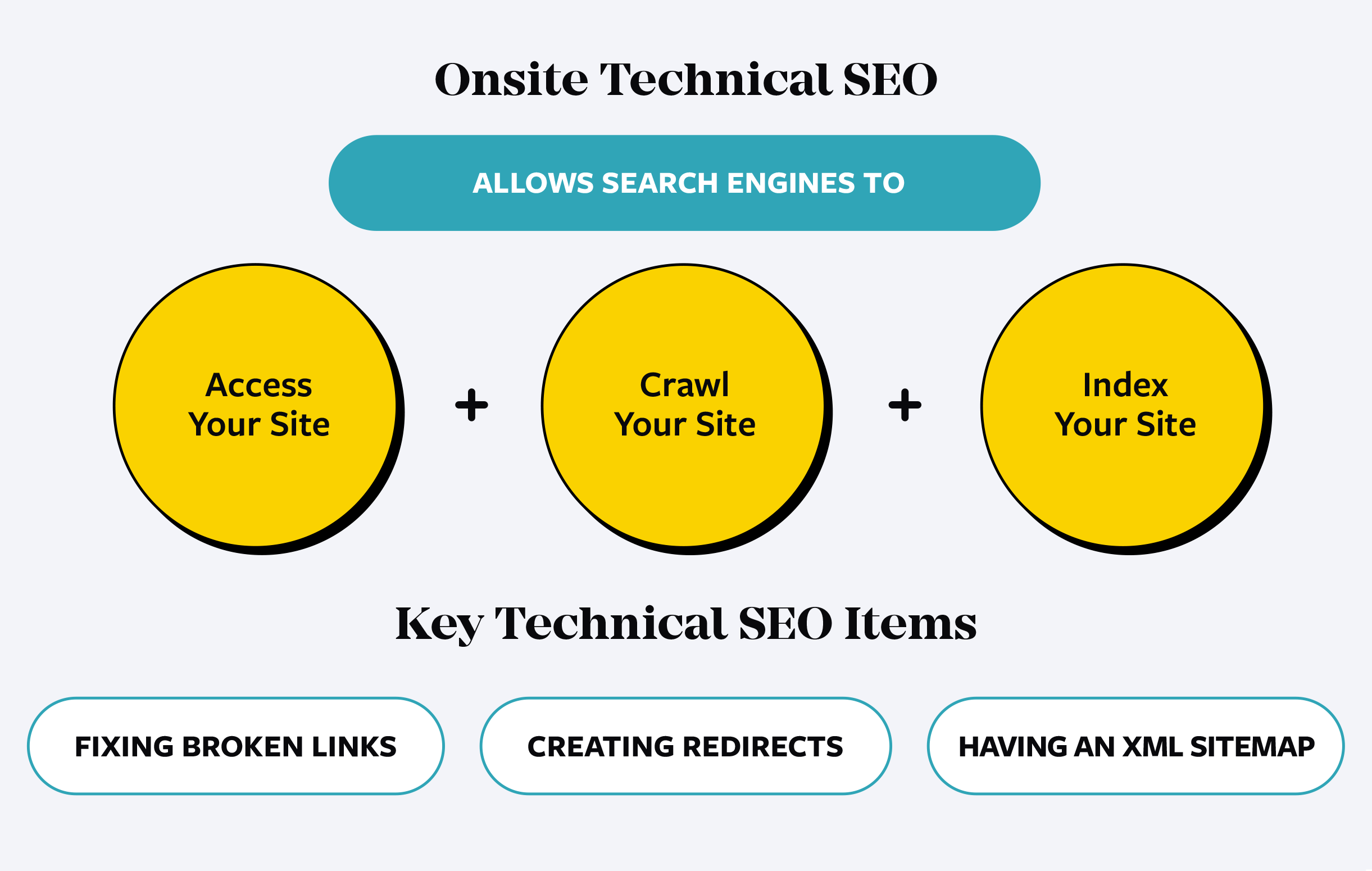
Onsite technical SEO ensures search engines can properly access, crawl, and index your website. Without it, all the brilliant legal content in the world won’t matter because Google can’t find or understand it. Technical SEO elements are also about ensuring a smooth user experience which can have a direct impact on your conversion rates.
For law firms, technical SEO means fixing broken links, creating an XML sitemap, setting up proper redirects, and ensuring your site’s architecture is intuitive. Think of it as building the foundation of a skyscraper—if it’s shaky, the whole structure (and your SEO) collapses.
Core Web Vitals
Google’s Core Web Vitals measure how users experience your site. The metrics include:
Loading Speed (Largest Contentful Paint - LCP): How quickly does the main content load?
Interactivity (First Input Delay - FID): How fast does your site respond when someone clicks or types?
Visual Stability (Cumulative Layout Shift - CLS): Do elements on your site move unexpectedly?
In this section, we’ll explore Core Web Vitals. They’re not as critical to your rankings as many believe, but does that mean you can just ignore them?

Image Compression and Optimization
High-quality images of your attorneys, office, or infographics are a must to ensure that you’re future clients are seeing your law firm in its best light. But if not optimized, they can slow down your law firm’s website. Compressing images using tools like TinyPNG or WebP reduces file size without sacrificing quality. Optimized images load faster, improving user experience and helping your Core Web Vitals. We’ll explore this element and even showcase a few WordPress Plugins that help.
Content Delivery Network (CDN)
A CDN ensures your site’s resources (images, videos, scripts) are delivered from servers closest to the user’s location. For law firms serving clients nationwide, this means no frustrating delays when a potential client in California is loading a website that might be hosted in Michigan.
CSS Compression and Optimization
CSS is basically the script that controls your website’s styles (font’s, buttons, site structure, etc.) Bulky CSS files are like cluttered legal briefs—inefficient and unnecessary. Compressing CSS reduces file size and speeds up your website. For law firms, this translates to faster load times, happier users, and better Core Web Vitals scores.
Schema Markups: Google’s Cheat Sheet for Your Site
Schema markup is structured data that helps search engines understand your content. For law firms, this might include:
- Attorney profiles (name, title, credentials)
- Practice areas (criminal defense, personal injury, etc.)
- Reviews and ratings
By providing Google with this extra context, schema increases your chances of appearing in rich results like star ratings, FAQ sections, or local business panels—making your firm stand out in search results.

Internal Link Building: Guide Clients and Google
Internal links create a roadmap for both users and search engines. For example, linking from your homepage to practice area pages ensures potential clients—and Google—understand where to find key information.
For law firms, internal linking also keeps users engaged. A client researching DUI defense might end up reading about traffic violations and, ultimately, your lead intake form. That’s how SEO turns clicks into cases.
Attorney/Person Optimization: Building Authority Online
Every attorney at your firm has a unique story, and Google wants to hear it. Optimized attorney bios (with structured data for education, awards, and experience) build trust and showcase authority.
Including testimonials, recent case wins, and professional memberships in these profiles also demonstrates credibility to potential clients—and search engines.
Optimize for Featured Snippets and Generative AI Links: Claim Position Zero
A featured snippet is the coveted box at the top of search results. To win this spot, provide concise answers to common legal questions. Featured snippers can also be featured in Google’s Generative AI summaries. In this section, we will talk about how to use lists, tables, and FAQs.
For example, a page titled “What should I do if the NYPD wants to talk to me?” could feature a 5-step checklist that’s primed for snippet optimization. It not only helps clients but also puts your firm at the forefront of search results.

Accessibility: Inclusive Design Helps SEO
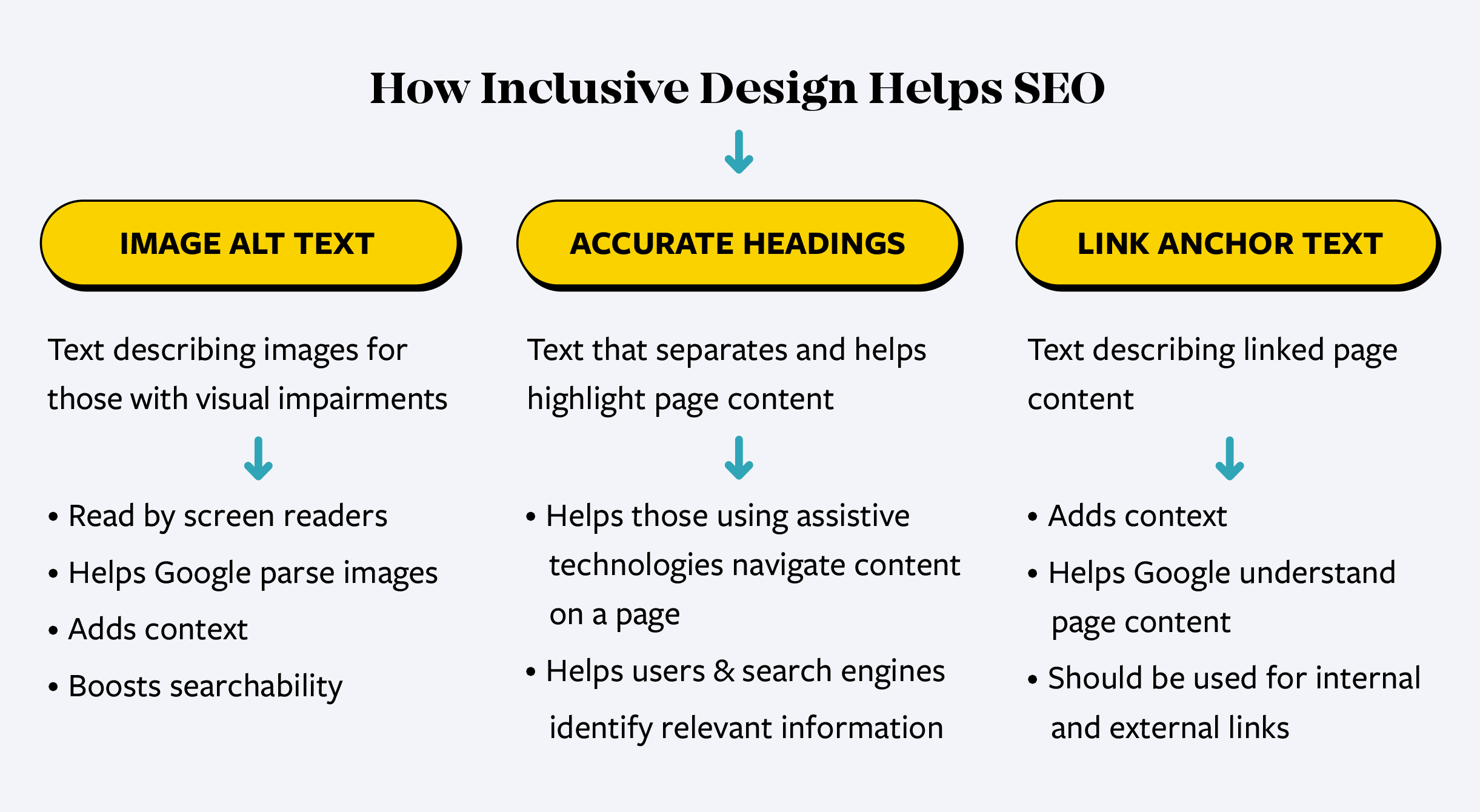
Making your site accessible isn’t just the right thing to do—it’s smart SEO. Features like alt text for images, proper headings, and keyboard-friendly navigation improve usability for everyone.
Accessible websites also reduce bounce rates and boost engagement—two metrics Google loves. Plus, it can help thwart ADA lawsuits against your firm.
Website Management: Keep It Running Smoothly
Managing your site is like managing a legal case—attention to detail is everything. Even if you’re not managing your website on your own, it’s good to know what your website company is doing… or should be doing.
WordPress Core & Plugin Updates
Outdated plugins are security risks and can break your site. Regular updates ensure compatibility, functionality, and safety.
Security for Law Firm Websites
Clients trust you with sensitive information. Protecting your site with SSL certificates, firewalls, and regular malware scans keeps that trust intact—and keeps hackers out.
License Management
Expired licenses for plugins or themes can cripple your website. Stay on top of renewals to keep everything running smoothly.
Local & Cloud Backups
Your website is your lifeline. Backups ensure you can recover quickly from hacks, crashes, or server failures. It’s peace of mind for your digital operations.
Infinite Scalability: Ready for Prime Time
What happens if your law firm lands a high-profile case and your website traffic surges overnight? Scalability ensures your site doesn’t crash under the weight of its success. A scalable hosting solution keeps you online no matter how many people are searching for you.

CLM is singularly focused on my firm's success and frequently over-delivers. I don’t think that you could make a better choice.
- Paul Greenberg, Briskman Briskman & Greenberg
We have been using CLM for our websites for a number of years and they have been outstanding! Their entire team has always been highly responsive and met all of our marketing needs.
-Todd J. Leonard, Todd J. Leonard Law
